Wiggle anything
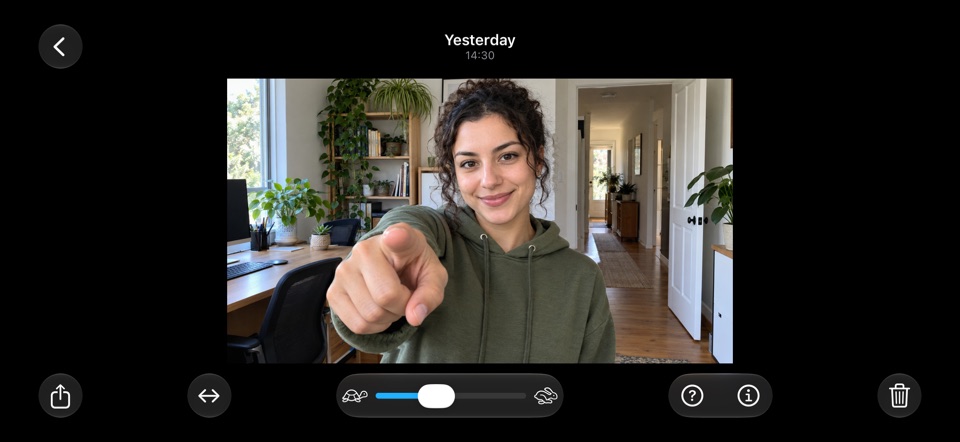
A wiggle rocks between the two views, so the world around your subject moves in 3D while the subject stays still. Anyone can see it, no tricks needed. Share it as a video made for Reels, TikTok and your photo dump, or as a GIF.
Two cameras. One moment.Real 3D from your iPhone.
For iPhone → a camera that films with both rear lenses at once · First shots free
iPhones with an Ultra Wide camera have two lenses side by side. StereoCam fires both at the same moment and turns every photo and video into real 3D: no glasses, no Vision Pro, no fake depth from one picture.
Two pictures taken at the same moment, a few centimetres apart, like your eyes. StereoCam lines them up on your iPhone and lets you see the depth in five ways.


No account and nothing to set up. The tutorial shows the cross-eye trick in a minute.
Install StereoCam on an iPhone with an Ultra Wide camera: iPhone 11 or later.
That puts the two cameras side by side, like your eyes. Keep the level line green and your subject 0.5 to 1 metre away, with something behind it.
Tap the thumbnail: the shot opens in Cross-eye view, and Wiggle, Parallel, Red-cyan and Single are one tap away. The tutorial teaches the cross-eye trick step by step.
A camera should not need an account, a server or your data.
Nothing to sign up for and nothing uploaded. Lining up the two pictures, the depth and the wiggle are all worked out on your iPhone.
No analytics, no ads, no tracking and no third-party SDKs. The App Store label says Data Not Collected.
StereoCam adds your 3D shots to your library and can’t see the rest of it. Importing spatial media uses Apple’s photo picker, so it gets only what you pick.
An iPhone with an Ultra Wide camera: iPhone 11 or later, with iOS 16 or later. Not iPhone SE, iPhone 16e, iPhone 17e or iPhone Air, which have one rear camera. iPads, Macs and Apple Vision Pro can’t film in 3D. Import from Photos needs iOS 18, and Save as Spatial needs iOS 17.
No. A wiggle shows the depth to anyone, and the cross-eye and parallel views work with your eyes alone. Red-cyan is there if you have 3D glasses, and spatial copies play in 3D on Apple Vision Pro.
Hold the phone at arm’s length, head level. Hold up a finger halfway to the screen and look at its tip, then move the finger until the two dots become three. Keep your eyes there and look at the middle picture: after a few seconds it snaps sharp. Seeing four? Cross a little less. If your eyes get tired, look away for a moment.
Yes. Share a wiggle video or GIF and anyone sees the 3D. The 3D challenge is a 9:16 video made for Reels, TikTok and Shorts.
Held sideways, the two rear cameras sit side by side like a pair of eyes. Held upright, the screen shows “Rotate to begin”. On iPhones whose lenses sit diagonally, the app asks you to tilt a little until the level line turns green.
Your first few photos or videos (Settings shows how many are left), saved to your Photos library as side-by-side 3D pictures. StereoCam Pro adds unlimited shots and the 3D gallery: wiggles, the view modes, depth and sharing.
Monthly or Yearly, renewing until you cancel, or Lifetime, paid once. Your free shots come first. Prices vary by country, and the App Store shows yours before you buy.
Yes. No account, no ads, no tracking, no servers. Your photos and videos stay on your iPhone and are never sent to us. Details in the Privacy Policy.
Your first photos and videos are free. Then StereoCam Pro: Monthly, Yearly or Lifetime.
Monthly and Yearly renew until you cancel. Lifetime is paid once. Prices vary by country, and the App Store shows yours before you buy.
Get StereoCam, hold your iPhone sideways and point it at something an arm’s length away.
iPhone 11 or later · iOS 16+ · No account, no ads

